
Faded
Active macOS app Chrome extension Free & open source

Faded

Volume keys on every output device, a volume slider for every app, and your browser tabs in the same menu. Shaped like the Control Center sound panel.
Get Faded on GitHub Faded Tabs for Chrome
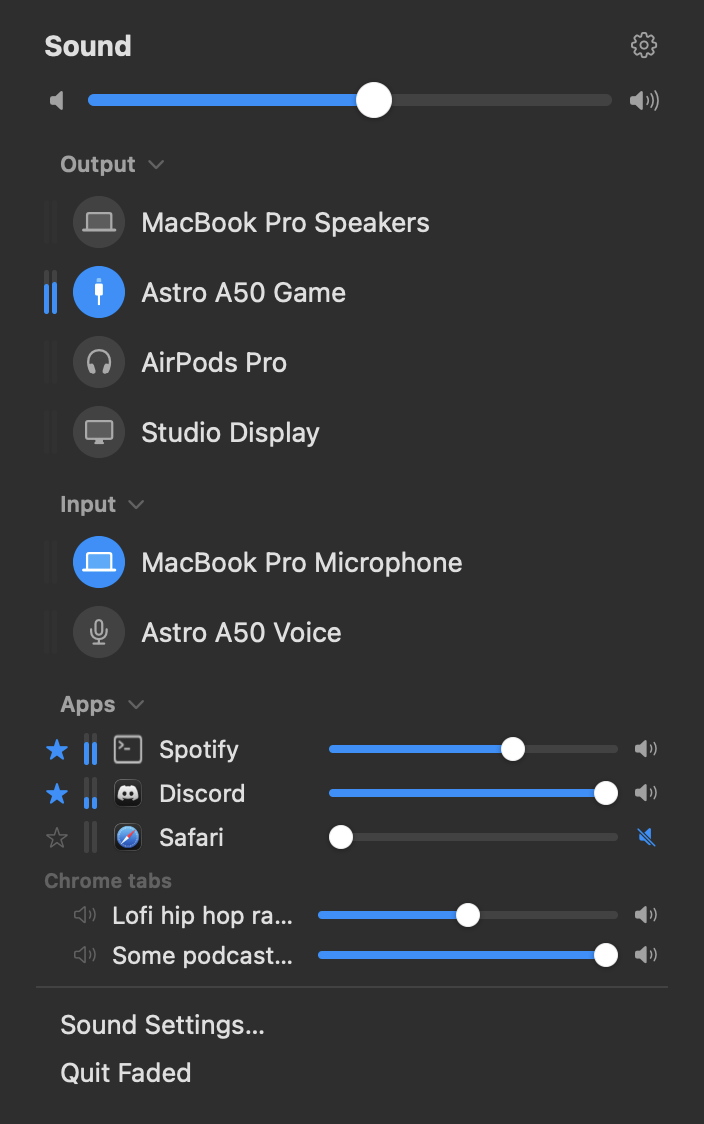
Faded's menu: a volume slider, output and input devices with level meters, per-app sliders and Chrome tabs

Output, input, apps and tabs. One slider each.
The problem
macOS leaves two things out

The volume keys go to the output device. A device without a volume control of its own (USB headset base stations, HDMI, most DACs) ignores them, so the keys do nothing.

Per-app volume has no hook at all: macOS mixes every app straight into the device. The usual workaround is a virtual audio device in front of the real one, which takes the system output away from macOS and breaks AirPods switching, AirPlay and echo cancellation.

Features
What it does

No boost, no EQ, no balance, no sample rates. Just the missing parts.

⌨️
Volume keys on every device
Devices without their own volume control get it in software. The keys work.
🎚️
Per-app volume
A slider and a mute for every app that is playing. Star the ones you want to stay.
🎧
Your device stays the default
Nothing sits in front of the system output. AirPods, AirPlay and Control Center behave as before.
📱
AirPods on your iPhone
Paired headphones are listed even while connected to your phone. Pick them and they come over.
🌐
Browser tabs in the menu
With the Faded Tabs extension, every Chrome or Brave tab gets its own slider.
📦
Nothing to install
No driver, no kernel extension, no virtual device. One app, one permission prompt.
How it works
Process taps, not a virtual device

Core Audio can tap an app's audio before it reaches the device (macOS 14.4+). Faded is built on that.

1
Every app gets a tap
By default it only listens, for the meters and the app list. Apps at 100 % are not touched at all: no latency, nothing changed.
2
Turn one down and Faded takes it over
The tap mutes that app at the device, and Faded plays it back at the level you set. Devices without hardware volume get their master gain the same way.
3
Back out to the same device
The mix plays to whatever the system output is, one audio cycle later (about 10 ms). Switch devices anywhere and Faded follows.
4
Invisible to macOS
Faded only holds a stream while it is actually playing something for you. Recordings and screen shares capture untouched apps exactly as they would without it. Volume keys on devices without hardware volume are taken over with an event tap.
Faded Tabs
Per-tab volume for Chrome and Brave

A browser is one audio client to macOS, so tabs can only be separated inside the browser. The extension scales what each page plays.

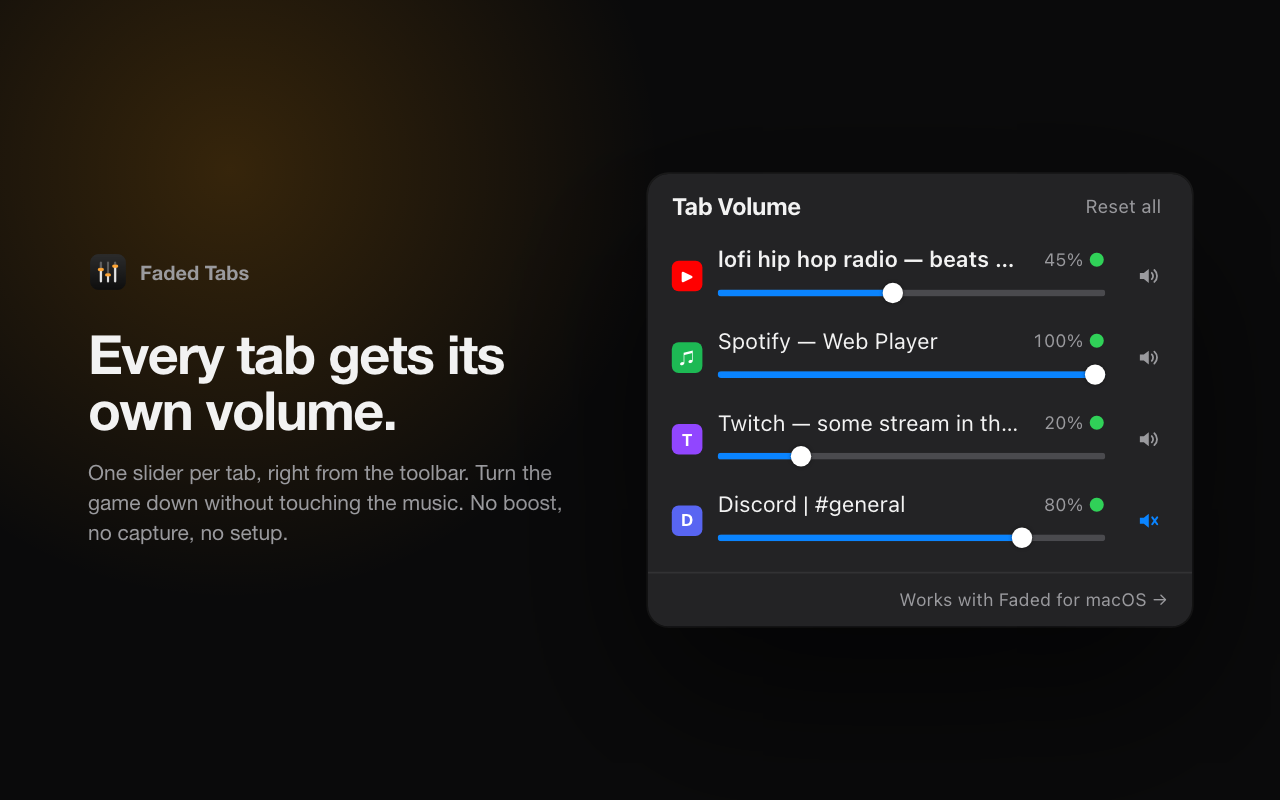
The Faded Tabs popup: one slider per tab
  • A slider per tab — the current one plus everything playing.
  • Sites remember — the level you set on a site is where its next tab starts.
  • Mute per tab without losing the level underneath.
  • Inside Faded's menu when the app is installed. Works on its own too.
  • No boost, no data. Attenuation only, nothing leaves the browser.

Chrome Web Store listing coming. Until then, load it unpacked from GitHub.

Install
Build it, allow one prompt
1
Clone and build
git clone https://github.com/pillgat3s/faded && cd faded && make install
Needs Xcode 26 and brew install xcodegen.
2
Allow System Audio Recording
Taps count as audio capture. Nothing is recorded or written anywhere.
3
Allow Accessibility if asked
Only for devices without a volume control. It is what lets Faded take the volume keys.
Privacy
  • No network code, no analytics, no accounts, in the app or the extension.
  • The microphone is never opened. The optional input meter is the one exception and it is off by default.
  • Settings are a plist in your Library folder. Remove the app and everything is gone.