
SafeKey
Public beta iPhone & iPad Mac Free & open source

SafeKey

An encrypted vault for the seed phrases and private keys of your burner wallets. The ones that otherwise end up in Notes, screenshots or a chat with yourself.
Join the beta on TestFlight Source on GitHub
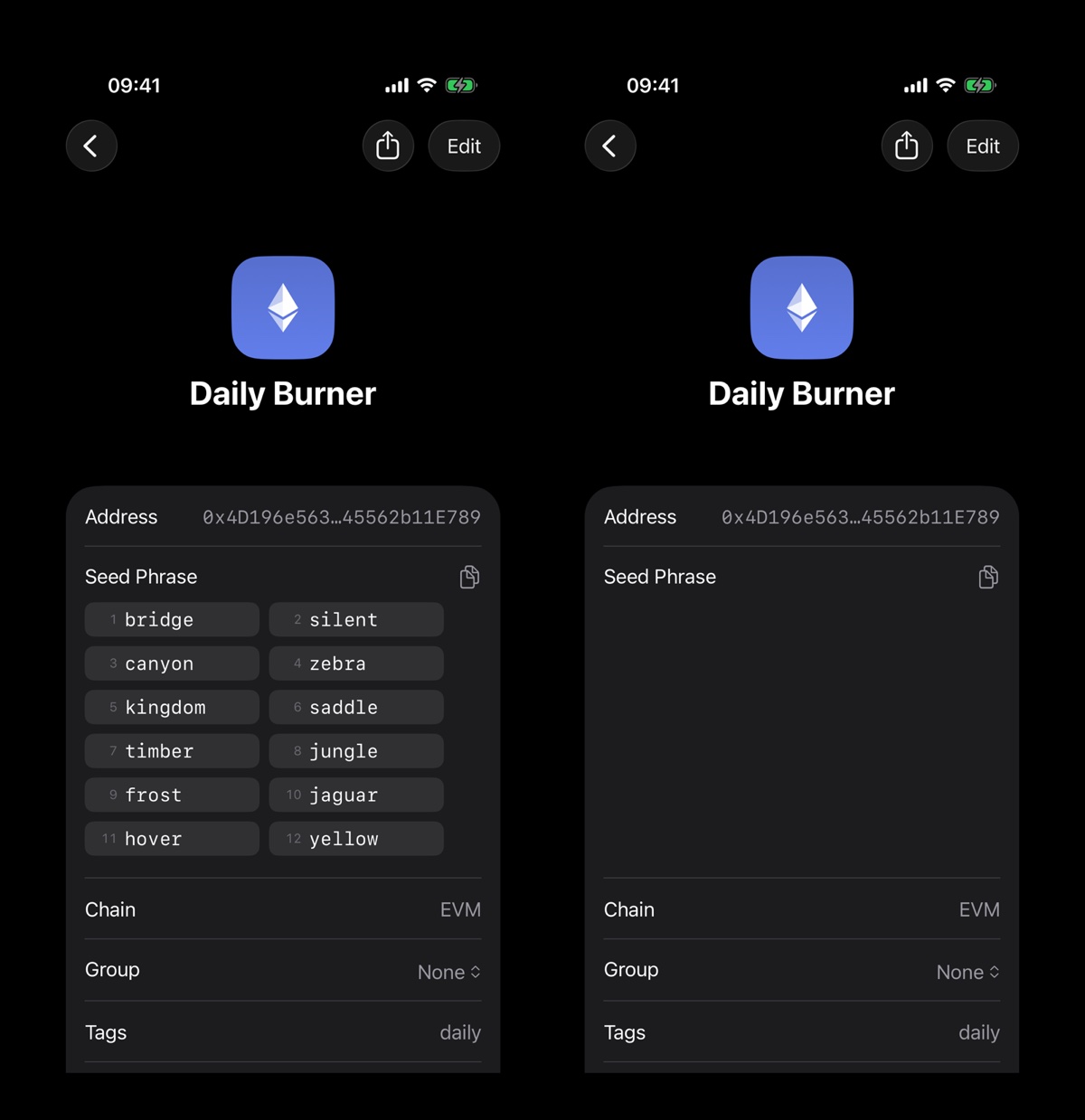
A revealed seed phrase in SafeKey next to a screenshot of the same screen, where the seed phrase is blank

Left: your screen. Right: a screenshot of it.
The problem
Burner keys end up everywhere

Every sniper bot, airdrop farm and mint wallet comes with a seed phrase or a private key, and most of them land in the Notes app, the camera roll or Saved Messages. Plain text, synced who knows where, one screenshot away from leaking.

SafeKey is for exactly those wallets. It is not built to hold significant funds, and it says so on its first screen. Keep larger amounts in dedicated, secure storage.

Features
What it does

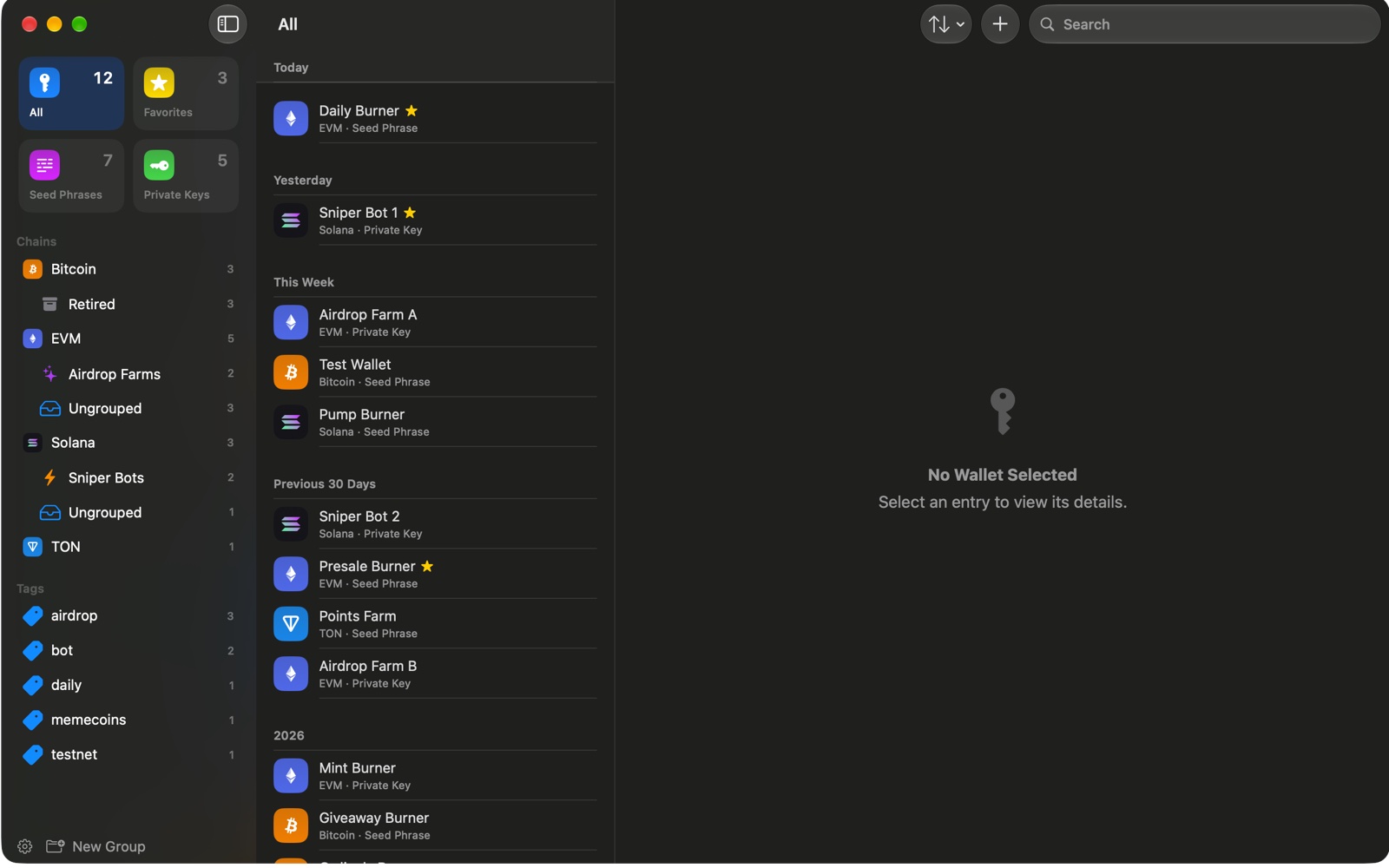
One vault for twenty burners, in the shape of Apple's Passwords app.

🔐
Encrypted on your device
AES-256-GCM over the whole vault, under a key derived from your master password. The password is never stored.
🙈
Blank in screenshots
A revealed key shows on your screen and nowhere else. Screenshots, recordings and mirroring get an empty row.
👤
Face ID and Touch ID
Opens with biometrics backed by the Secure Enclave, and locks the moment you leave the app.
🔗
Any chain
Solana, EVM chains, Bitcoin, TON and more. Twelve or twenty-four words, or a raw private key.
🗂️
Groups, tags, search
Sort burners by chain and group, favorite the daily ones, and search across everything.
☁️
Optional iCloud sync
One vault on iPhone, iPad and Mac, end-to-end encrypted through your own iCloud. Off until you turn it on.
Trust
What never happens

SafeKey stores text you give it and nothing else.

SafeKey on the Mac: chains and groups in the sidebar and a list of burner wallets
  • No account. No sign-up, no email, no login.
  • No servers. The app makes no network connection on its own.
  • No tracking. No analytics, no telemetry, no third-party code.
  • No transactions. It never connects to a blockchain, shows a balance or signs anything.
  • Open source. GPL-3.0 on GitHub, so every claim can be checked.
  • No recovery. Forget the master password and the vault is gone. That is the point.
Install
Join the beta
1
Get TestFlight
Apple's TestFlight app on your iPhone or iPad. SafeKey needs iOS 26 or later.
2
Open the invite
testflight.apple.com/join/N5YJ4Vzm on the device, then Install.
3
Create a vault
Pick a master password and turn on Face ID. Keep real high-value keys out of beta builds.
Privacy nothing collected
  • No account, no analytics, no server of ours. The vault never leaves the device unless you turn on iCloud sync, and then only as ciphertext.
  • The Mac app ships as a notarized download with 1.0, the App Store release follows the beta.
  • Full policy and support at safekey.tws.sh.